
GeoSwiftSOS – Offline Emergency SOS App with GPS & SMS Alerts
In moments when every second counts, GeoSwiftSOS ensures help is summoned swiftly, even without an active internet connection.
✔ No sign-up required ✔ No Data Collection ✔ Works without internet ✔ Free to use
Built for Reliability
GeoSwiftSOS is designed with one goal: to work when everything else fails.
No internet. No accounts. No data tracking.
It relies on proven SMS technology to ensure your emergency alert is delivered when it matters most.
About App
Stay Safe in Critical Moments
GeoSwiftSOS is a reliable emergency assistance app designed for situations when every second matters. Whether you're traveling, hiking, or facing unexpected danger, you can alert your trusted contacts instantly—even without internet access.
Read MoreOne-Tap SOS
One press alerts every trusted contact, with a short countdown so an accidental tap costs nothing
Works Offline
Uses SMS technology, ensuring it works without any data connection
Fall Detection
Recognises a fall and raises the alarm on its own, in three adjustable sensitivity levels
Safe Contacts
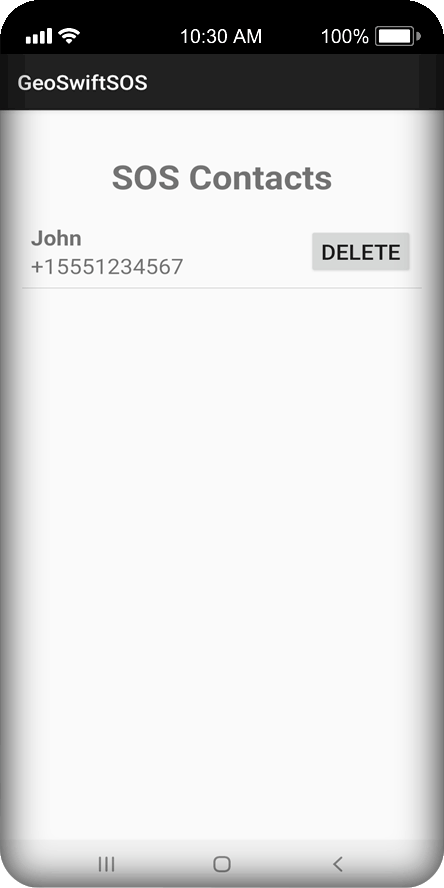
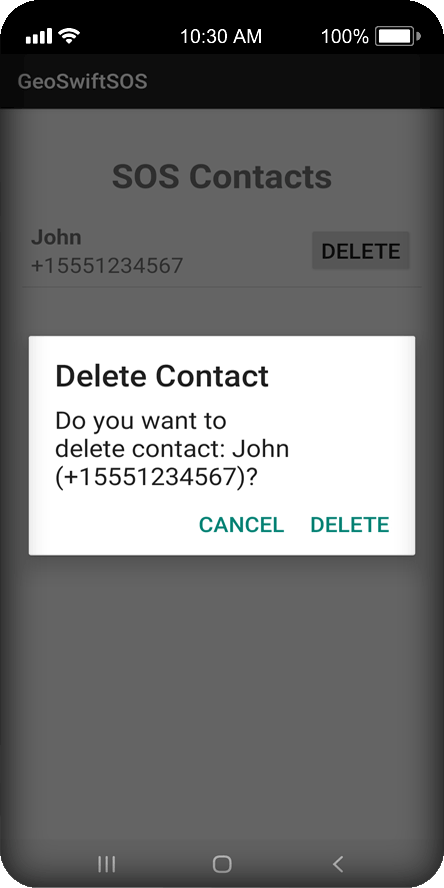
Pick recipients straight from your phonebook — without granting access to your contact list
Stay Protected Anywhere: Offline Emergency Alerts That Actually Work
GeoSwiftSOS is an advanced offline emergency app designed to provide safety and fast response in critical situations. Unlike many safety apps that rely on internet connectivity, GeoSwiftSOS uses SMS technology to send emergency alerts, making it a reliable solution in areas with no signal or poor network coverage.
Whether you are traveling abroad, hiking in remote areas, driving long distances, or simply want an extra layer of protection, this emergency SOS app ensures that your location and alert message reach your trusted contacts instantly.
The app combines GPS positioning inside every alert, automatic fall detection with a cancellable countdown, and alerting of several contacts at once. It speaks 24 languages and adapts to whichever one your phone is set to.
Why Reliability Matters
Technical advantages of an offline-first emergency system
SMS Priority
In congested networks or low-signal areas, SMS packets are prioritized over high-bandwidth mobile data, ensuring your alert has the highest chance of delivery.
Battery Efficiency
Since the app doesn't require a constant background data sync or 5G connection, it preserves critical battery life when you are stranded.
Direct GPS Link
Your coordinates are fetched directly from your phone's hardware GPS module and embedded into a text message, bypassing any third-party server failures.
Who Is GeoSwiftSOS For?
🚗 Drivers
Stay safe on long trips and remote roads.
🏕️ Travelers & Hikers
Perfect for areas with no signal or poor coverage.
🚴 Cyclists
Automatic fall detection can save critical time.
👨👩👧 Everyday Use
For anyone who values personal safety.
When GeoSwiftSOS Can Save Your Life
Real situations where every second matters
🚗 Car Breakdown
Stranded on a remote road? Instantly send your location to someone who can help.
🏕️ Hiking Accident
No signal in the mountains? SMS alerts still work where data connections fail.
❤️ Medical Emergency
If you can’t call for help, the app can notify your contacts automatically.
⚠️ Dangerous Situations
Quickly alert trusted people if you feel threatened or unsafe.
How It Works
Three simple steps to enhanced personal security

Easy Setup
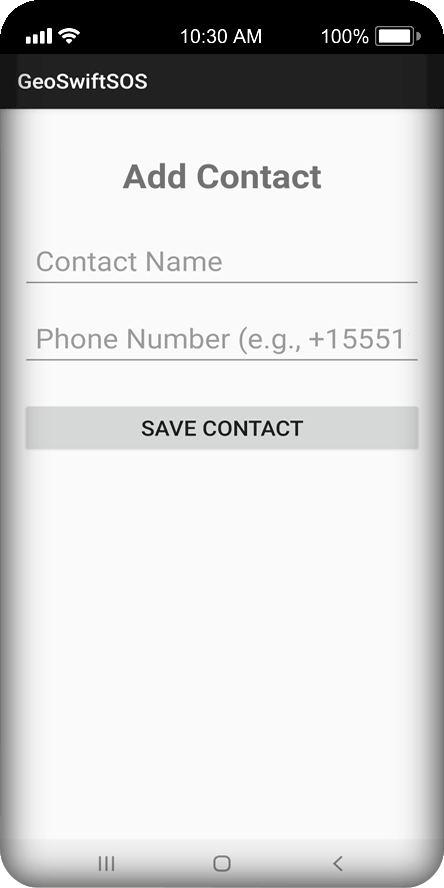
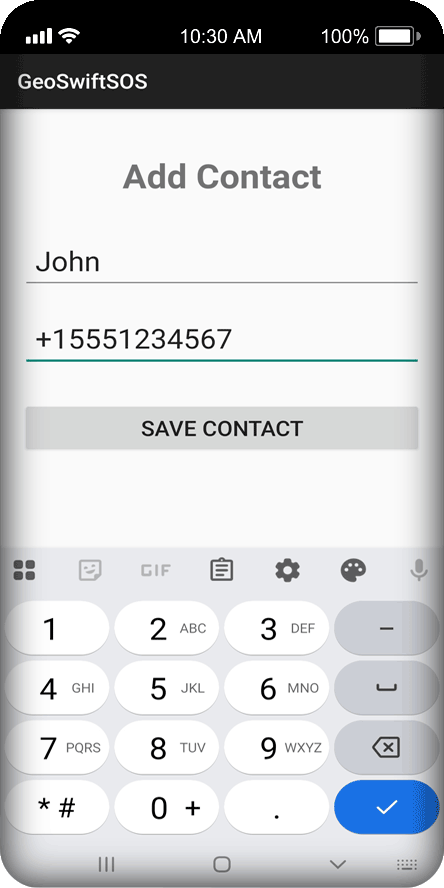
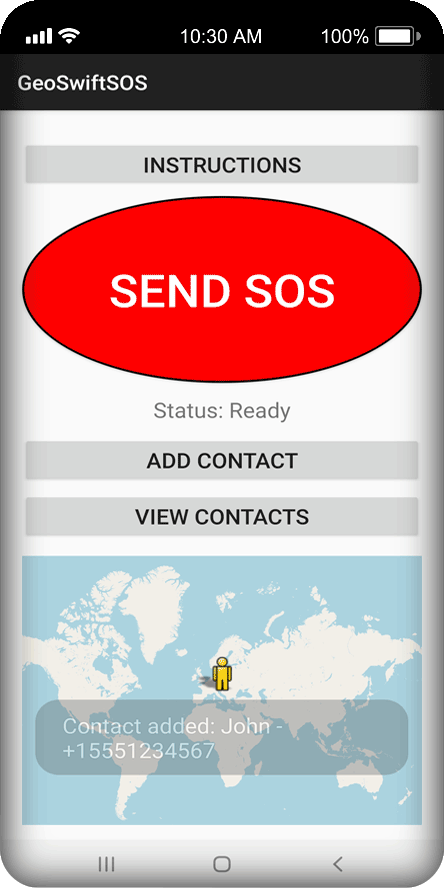
Launch the app, add your emergency contacts, and grant the Location and SMS permissions. Send a test message so you know exactly what your contacts will receive.

Stay Ready
Switch on fall detection when you want it — a hike, a night shift, a long drive. Keep GPS enabled for the most accurate position.

Get Help
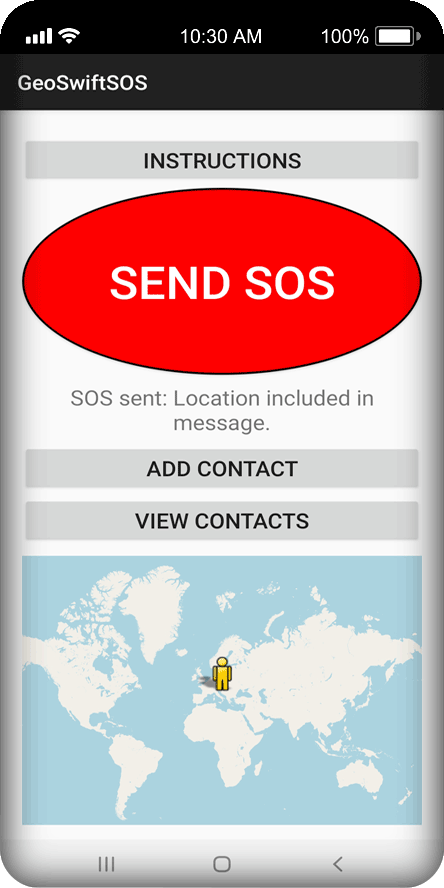
Press SOS, or let the app detect a fall. A countdown gives you the chance to cancel, then an SMS with your location goes out to everyone on your list.
How SMS Emergency Alerts Work
Simple, reliable technology that works when data fails
Unlike most apps that depend on internet connectivity, GeoSwiftSOS uses standard SMS technology to deliver emergency alerts. SMS messages are handled directly by mobile carriers and are often prioritized, allowing them to go through even in low-signal conditions.
When you trigger an SOS, your device automatically retrieves your GPS location and includes it in the message sent to your selected contacts. This ensures they know exactly where you are, even if you cannot communicate further.
Because SMS does not rely on mobile data or Wi-Fi, GeoSwiftSOS remains functional in remote areas, underground locations, or during network outages.
Trusted Emergency Technology
Built with real-world emergency scenarios in mind, GeoSwiftSOS relies on proven GSM/SMS infrastructure instead of unstable internet connections.
Download GeoSwiftSOS NowFeatures
Reliable technology built for high-stress situations

Instant SOS Alerts
Get help when every second matters.
- Send emergency SMS alerts with a single tap.
- Includes your real-time GPS location for precise tracking.
- Works instantly without complicated setup.

Reliable Offline Functionality
Stay protected even without internet.
- Uses SMS instead of mobile data.
- Works in remote areas with poor or no signal.
- Ensures your emergency message is delivered when it matters most.

Automatic Fall Detection
Smart protection when you can’t react.
- Looks for a free fall, an impact, and stillness afterwards — the combination that separates a real fall from running or a dropped phone.
- Starts an audible countdown you can cancel. If you get up, no message is sent.
- Three sensitivity levels, so you can trade fewer false alarms against catching softer falls.

Global Reach & Multi-Language Support
GeoSwiftSOS is designed to be accessible to everyone, everywhere.
- Supports international phone numbers.
- Available in 24 languages, including English, German, Spanish, French, Italian, Portuguese (European and Brazilian), Russian, Turkish and more.
- Automatically adapts to your phone's system language.
GeoSwiftSOS vs. Standard Safety Apps
How we differ from internet-dependent solutions
| Feature | GeoSwiftSOS (SMS Based) | Standard Safety Apps |
|---|---|---|
| Internet Connection | Not Required | Required |
| Low Signal Reliability | High (Works on 2G/GSM) | Low (Needs 3G/4G/5G) |
| Privacy & Data Tracking | Zero Tracking / Local Only | Cloud Storage / Account Needed |
| Setup Complexity | Instant (No Registration) | Login & Profile Creation Required |
| Battery Impact | Minimal when idle; higher while fall detection runs | Moderate to High (constant background sync) |
| Emergency Speed | Instant (SMS) | Delayed (Internet dependent) |
Gallery
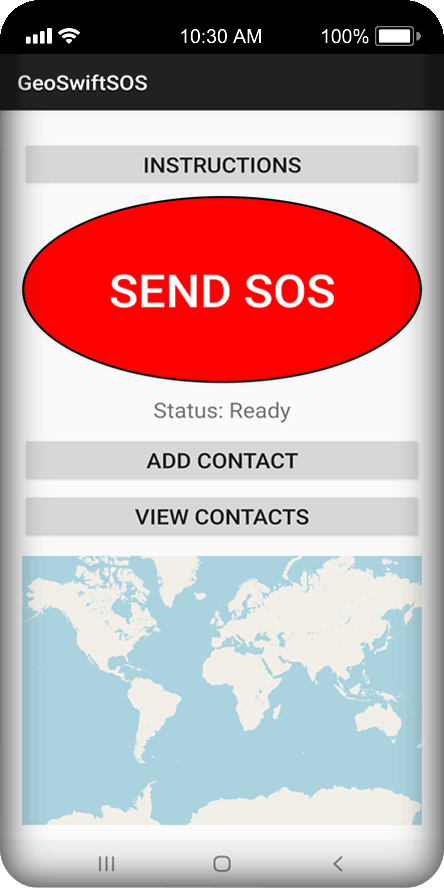
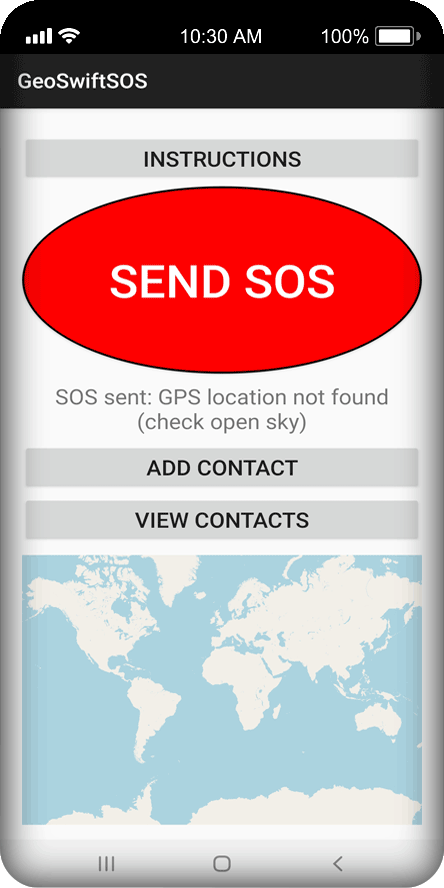
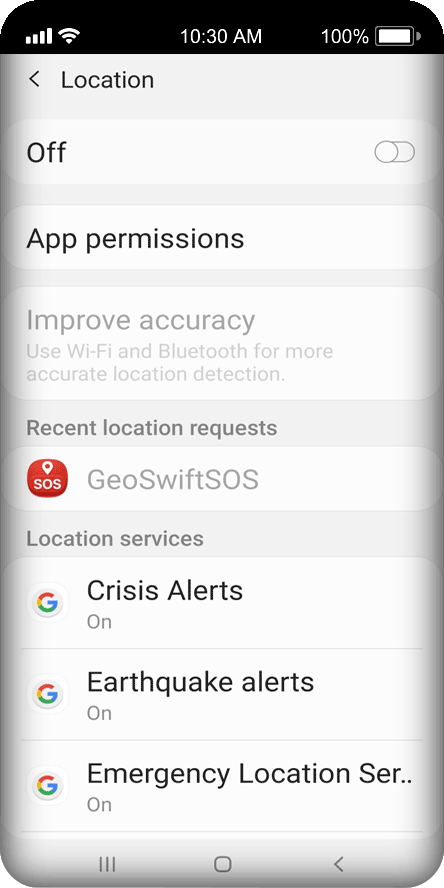
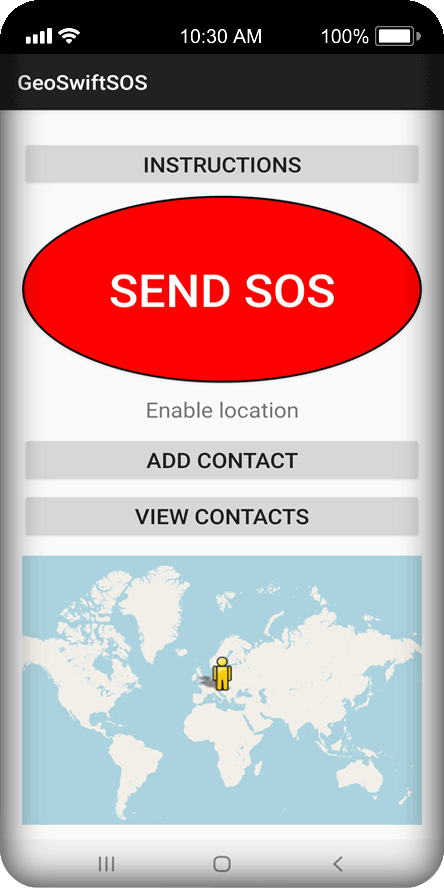
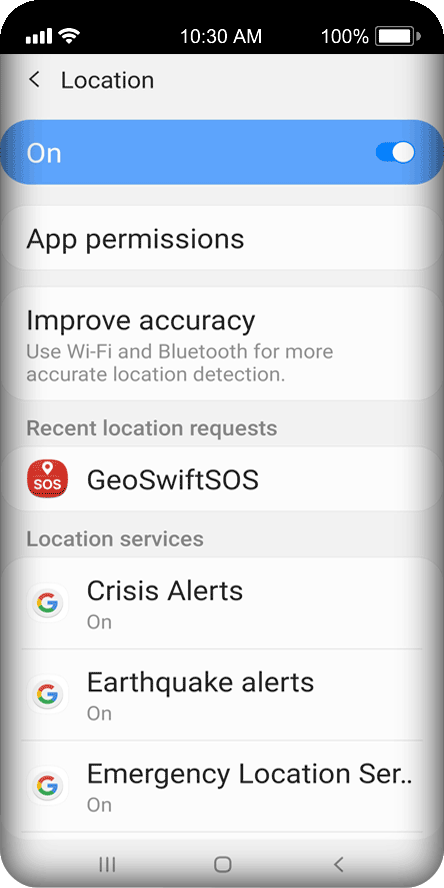
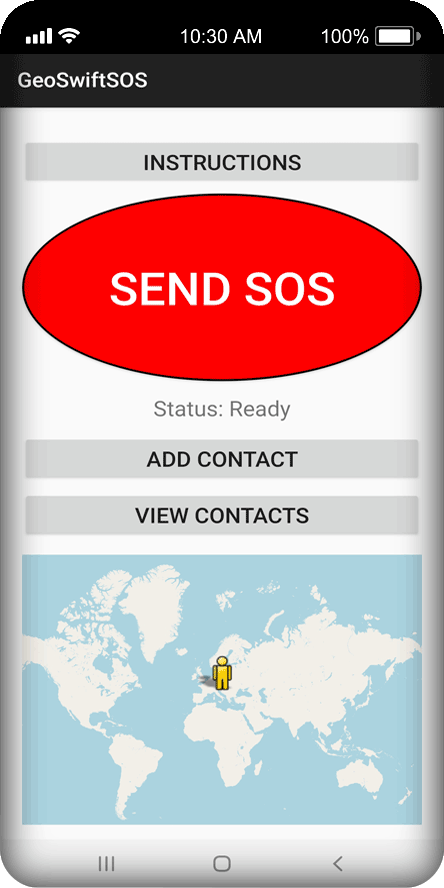
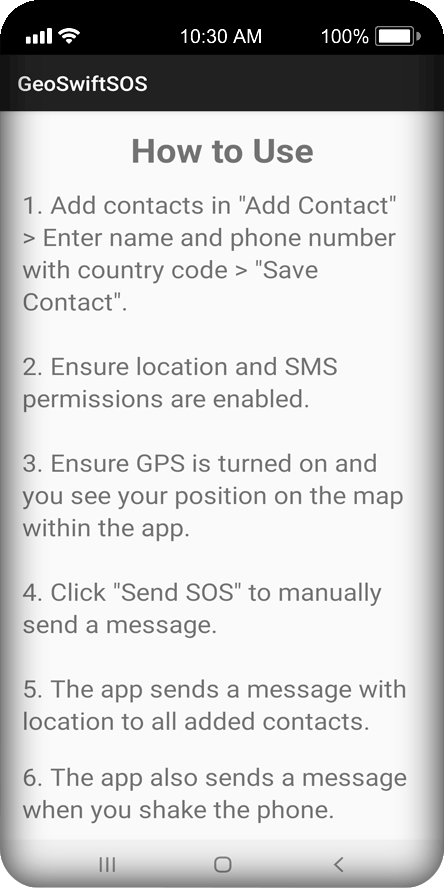
Explore the app interface and see how GeoSwiftSOS works in real-life situations
Frequently Asked Questions
Clear answers to the most common questions about how GeoSwiftSOS works and keeps you safe
Does GeoSwiftSOS work without internet?
Yes. The app uses SMS to send emergency alerts, so it works even without a data connection.
Is the app free?
Yes, GeoSwiftSOS is free to download and use.
Does the app track my data?
No. The app does not collect, store, or transmit personal data to third parties. All contact data stays on your phone.
How accurate is the location?
The app uses your device's built-in GPS, typically accurate to a few metres outdoors. Indoors or under heavy tree cover it falls back to a coarser network position. The message contains your position at the moment it was sent — it is not live tracking, so nobody can follow you afterwards.
Can I use it abroad?
Yes, as long as your mobile plan and device can send SMS messages in the country you are visiting. Since no data connection is needed, it also works with data roaming switched off — though your carrier may charge for the SMS itself.
What if fall detection raises a false alarm?
Nothing is sent straight away. A detected fall starts an audible countdown with a cancel button, both in the notification and on screen. If you get up and move, the app recognises that too and stops on its own. You can also lower the sensitivity if it still triggers more often than you would like.
Does fall detection drain the battery?
It uses noticeably more battery than the rest of the app, because Android has to keep the accelerometer awake while your screen is off. That is a requirement of the feature, not a flaw. Switch it on when you need it — a hike, a night shift, a long drive — rather than leaving it running permanently. The manual SOS button costs nothing and is always available.
Which languages does the app support?
Twenty-four, and it follows whatever language your phone is set to. On Android 13 and newer you can also set a language for the app alone, in your system settings, without changing the rest of the phone.
Does it replace calling emergency services?
No. GeoSwiftSOS alerts the people you have chosen; it does not contact the emergency services. In a life-threatening situation always call 112 or your local emergency number. Think of the app as the thing that reaches your family when you cannot reach anyone yourself.
Contact
Have questions or need support? Get in touch and we’ll respond as quickly as possible.